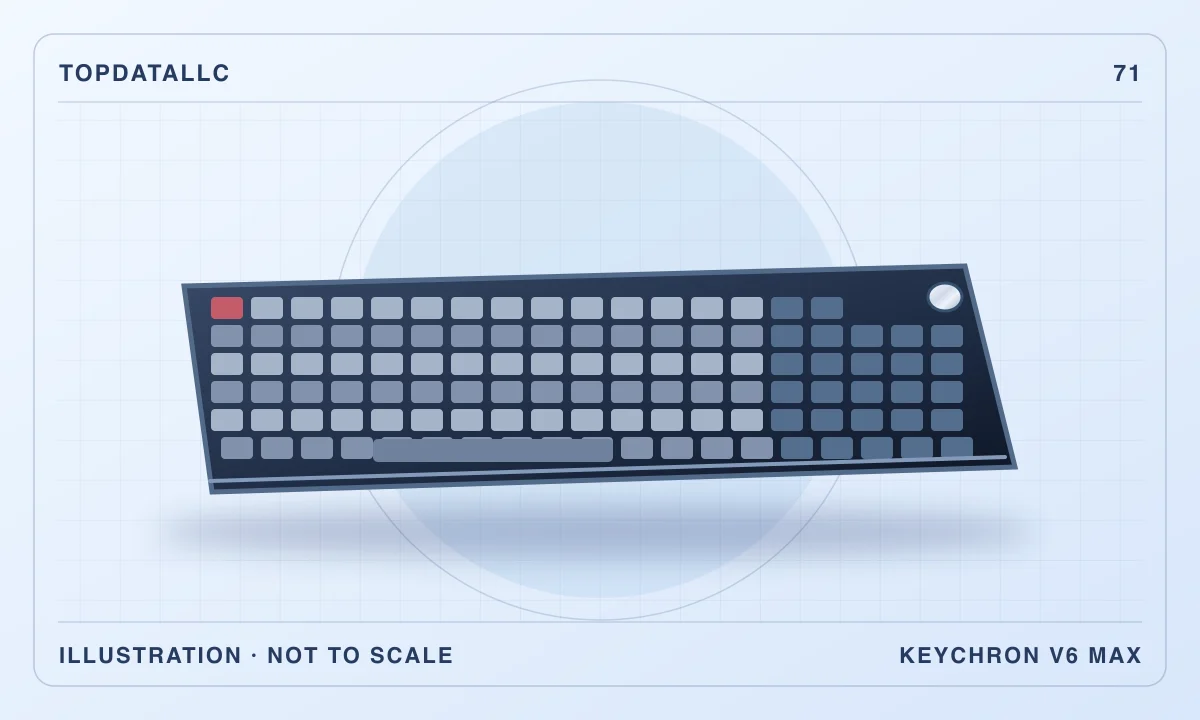
The Keychron V6 Max makes sense when a keyboard is a permanent part of your working desk and you actually use a number pad. Its appeal is the combination of a full layout, wireless flexibility and replaceable mechanical switches. The trade-off is physical: this is a wide, raised keyboard that asks for more desk space and more attention to setup than a basic office board.
This review concerns the fully assembled US ANSI version with Gateron Jupiter Brown tactile switches. The barebones kit, other switch options and newer V6 Ultra models are different purchases. Our recommendation is based on Keychron’s documentation and independent evaluation of the V6 Max chassis; the tactile Brown version should not inherit somebody else’s listening impressions of a Red linear sample.
The number pad earns its space only if you use it
For someone entering invoices, stock quantities or long columns of figures, a separate number cluster can be more useful than fashionable compactness. It keeps familiar editing and calculation keys together. A full-size layout also reduces the number of functions you must remember on secondary layers, which matters when switching between applications rather than living in a single shortcut-heavy program.
The same layout can be inconvenient for a person who mainly writes documents and uses a mouse. The number pad extends the keyboard to the right, pushing the pointing device further away if the letter keys remain centred on your screen. That is a reason to measure your whole work area before choosing this model. More keys are useful only when their position fits the work.
Keychron specifies a footprint of 447.9 by 149mm. Mark that rectangle on the desk, then add the mouse movement you normally need. A keyboard tray that technically accepts the case may leave too little room for anything else. Also check the front edge of the desk: a raised mechanical board can feel awkward if there is no space to support your forearms comfortably.
A compact tenkeyless board such as the SteelSeries Apex 3 TKL takes a different approach. Our existing Apex guide is relevant if mouse space is the main concern. The V6 Max becomes the more coherent choice when keeping the number pad and standard navigation cluster is a positive requirement rather than an assumption carried over from your old keyboard.
What the Brown configuration changes
Gateron Jupiter Brown is the tactile option in this configuration. A tactile switch provides a change in resistance during a press; a linear switch aims for a more continuous motion. That distinction can influence preference, but it does not establish that one person will type faster, make fewer errors or find the keyboard quieter. Your previous keyboard and typing habits remain important.
GamesRadar’s original review praised the board’s typing experience and connection choices while noting the less luxurious plastic case. Its sample used Jupiter Red linear switches. We take the observations about layout, case and general features as useful context, while keeping the reviewer’s Red-specific feel separate from this Brown purchase. An appealing description of another switch is not evidence about the one in your basket.
If you can try a comparable tactile switch locally, use that opportunity to establish whether you like the bump. A short trial is more informative than choosing a switch by colour alone. Avoid buying a large replacement switch set immediately: first learn whether the supplied board actually creates a problem you want to solve, and whether the problem is the switch rather than desk height or key layout.
Construction favours adjustability over metal heft
The V6 Max uses an ABS plastic case, a polycarbonate plate and a gasket-mounted construction. These are design choices, not a promise of silence or a particular sound in your room. A desk surface, large desk mat, typing force and microphone position can all change what other people hear. Buying it for a shared office requires a more realistic plan than relying on an attractive sound recording.
The supplied double-shot PBT keycaps use Keychron’s sculpted OSA profile. They are not shine-through keycaps. The RGB lighting therefore should not be confused with illuminated legends that remain easy to read in a dark room. If you regularly look down to find symbols, consider your desk lighting as carefully as the backlight colour.
There is also no included wrist rest in the package described by the independent review. That does not mean everybody needs to buy one. Start with a comfortable chair and desk position, avoid holding your wrists at an awkward angle and consider a suitable support only if it solves a real positioning issue. A matching accessory is not automatically an improvement to the whole setup.
Choose the connection for the device, not the label
The three connection choices are wired USB, a 2.4GHz receiver and Bluetooth. Wired use is straightforward at a fixed computer and removes battery management from normal typing. Receiver mode is useful when you want a cable-free surface without relying on the computer’s Bluetooth pairing behaviour. Bluetooth is convenient for devices where a receiver would consume a scarce port or require an adapter.
Keychron rates wired and receiver operation at 1000Hz polling, compared with 90Hz in Bluetooth mode. Those figures describe how frequently the connection can report input, rather than the speed at which you compose an email. They support choosing receiver or wired mode for latency-sensitive play, but do not prove that ordinary writing requires the faster setting.
The manufacturer manual recommends positioning the receiver near the keyboard with its extension arrangement. This is a practical distinction on a desk with a metal computer case or a crowded dock. If wireless input behaves inconsistently, establish a reliable wired baseline and review receiver placement before concluding that a different switch or software macro will fix the issue.
For a laptop and tablet arrangement, think through which device will use which connection. Pairing options are helpful only if changing between them is easy to remember. Keep a simple note of your device assignments until the routine becomes familiar. If you rarely change devices, a permanent wired connection may be the least demanding choice despite the board’s wireless capability.
Remapping requires a little preparation
Keychron supports programmable layouts through QMK-related tools and its Launcher interface. The manufacturer manual specifies a wired connection and a supported desktop browser for Launcher. Do not assume you can configure the board from any phone browser while it is connected wirelessly. It is worth confirming that your computer permits the required browser/device interaction, particularly on a managed work machine.
The Mac and Windows selections use different layers. A change made on the wrong layer can look like a failed save when it is simply not the layer currently in use. Set the operating-system switch deliberately, make a small reversible change and confirm it in an ordinary application before redesigning the whole board. Keep familiar keys available while learning how the layers work.
Useful changes might put a frequently used command somewhere easier to reach or give the knob a role that matches your applications. Avoid building complicated macros simply because the board permits them. A shortcut should remove repeated effort without making the keyboard hard to use on another computer or leaving a colleague unable to understand what a key now does.
Configuration is also different from software installation permission. If your employer restricts hardware programming or browser access, check that constraint before buying primarily for customisation. The keyboard can still be useful with its standard layout, but the value calculation changes if its most attractive feature is unavailable in the environment where you spend most of your time.
Replaceable switches are a long-term option
Hot-swap sockets allow compatible mechanical switches to be changed without soldering. Keychron lists support for most three-pin and five-pin MX-style mechanical switches. That is a useful boundary: it does not mean every optical, magnetic or low-profile switch sold for a keyboard will fit. Check compatibility rather than relying on a product photograph that looks broadly similar.
Replacement can serve two different purposes. You might want to repair an isolated failed switch, or change the character of the whole keyboard. The first use can be economical and restrained. The second can turn into an expensive hobby involving switches, keycaps and other parts. Treat those optional purchases separately when comparing the V6 Max with a simpler office board.
Follow Keychron’s instructions, disconnect the keyboard as directed and use the correct tools when changing components. A socket that avoids soldering still deserves careful handling. Keep the original parts until the new arrangement works consistently. If you are uncomfortable inspecting switch pins or removing keycaps, buy the supplied configuration because you like it rather than assuming modification is effortless.
Power and everyday ownership
The rechargeable battery gives you freedom over cable placement, but battery estimates depend on lighting and use. Current and historical references do not all quote the same maximum runtime, so we would not choose this board on a single advertised hours figure. A normal charging opportunity at your desk is more useful than treating a laboratory estimate as a calendar reminder.
Think about the cable you will use for configuration as well as charging. A suitable data connection is necessary when the computer must recognise the keyboard for programming. Keeping that cable accessible avoids the frustrating situation where the board types wirelessly but you cannot make a small setting change because the only convenient cable is unsuitable for data.
For cleaning, work conservatively and follow the manufacturer’s guidance. Food and drinks are a more relevant ownership concern than elaborate modifications for most desks. Keep liquids away, remove loose debris without forcing it into the case and avoid treating removable keycaps as permission to soak the assembled keyboard. Mechanical parts are replaceable; that does not make accidental liquid damage trivial.
Alternatives and the buying decision
The Logitech MK270 remains a more straightforward direction if you need a conventional keyboard-and-mouse package and have little interest in switches or programming. It addresses a different purchasing problem. Compare the complete cost and your actual requirements rather than assuming a mechanical keyboard is automatically an upgrade in every office.
The Apex 3 TKL is relevant when a smaller footprint and a wired setup fit better. An existing keyboard that already feels comfortable is another legitimate alternative: replacing it makes more sense when you can name the improvement you want, such as a number pad, device switching or a layout change. Cosmetic dissatisfaction alone may not justify the space and learning involved.
Before ordering, confirm the listing says V6 Max, fully assembled, US ANSI and Jupiter Brown. Check the current seller, returns and supplied accessories independently; retail availability can change. A barebones offer can look attractive until you add the missing switches and keycaps, while another regional layout may place familiar punctuation somewhere unexpected.
The V6 Max is a strong candidate for a deliberate, permanent working desk with regular numeric entry. Its configurable layout and replaceable switches provide room to adapt over time. We would pass if your priority is a very low-profile board, readable backlit legends or maximum mouse space. Choose it because the full layout and customisation solve your daily work, then leave unnecessary modifications until a real need appears.