What this exact model is
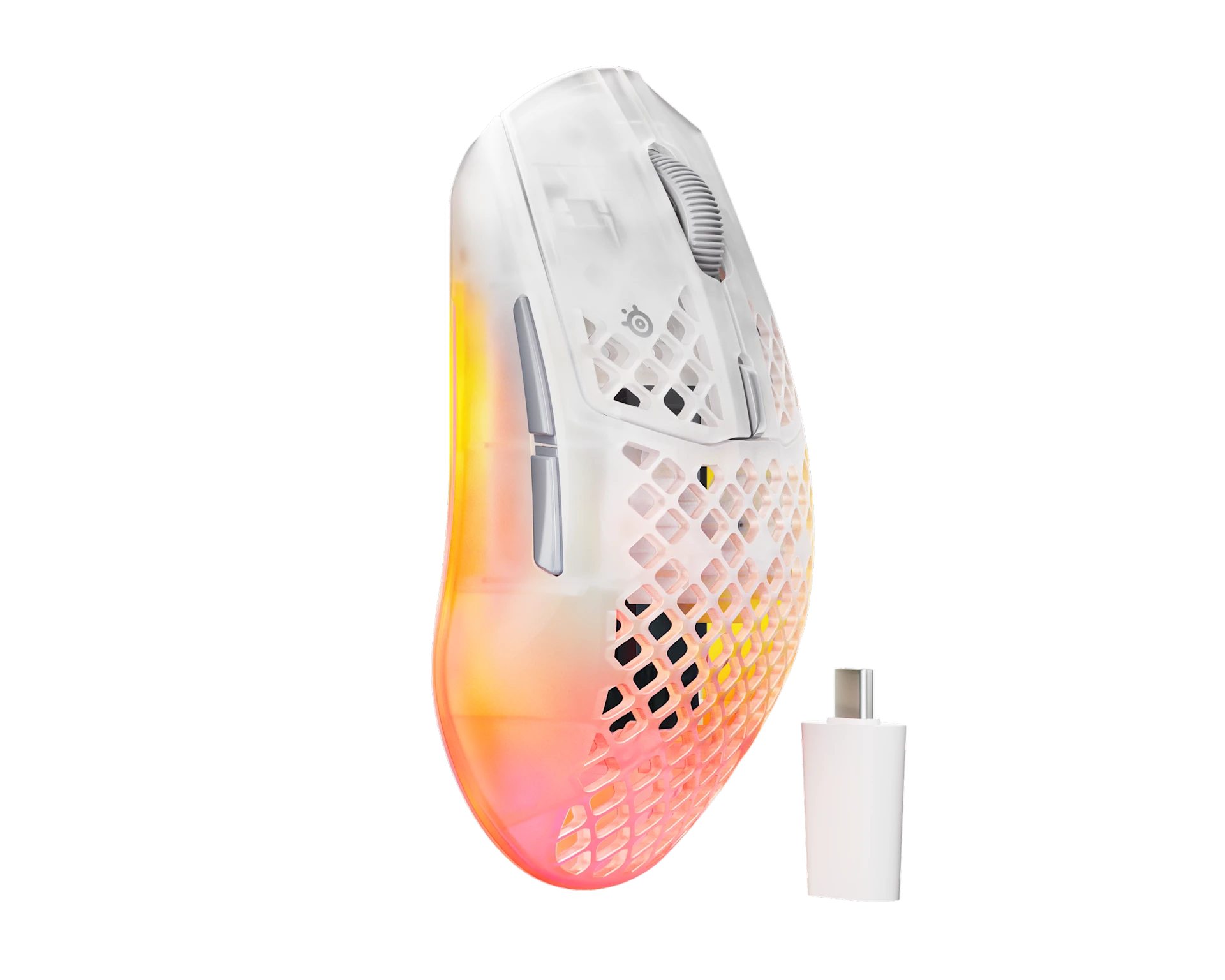
The SteelSeries Aerox 3 Wireless Gen 2 in Ghost is a lightweight wireless gaming mouse for buyers who want quick repositioning without giving up everyday flexibility. SteelSeries identifies this variant as the Aerox 3 Wireless Gen 2 - Ghost, with SKU 62715. Its appeal is not a large button count or a palm-filling shell; it is the combination of low weight, dual wireless connectivity, rechargeable operation and configurable performance.
The buying decision is specific. If you want a mouse that is easy to move during fast games, the Aerox 3 has the right emphasis. If you want a tall shell, many side controls or optical switches, the choices that keep this mouse light may point you elsewhere. This review separates SteelSeries specifications from TechRadar’s independent observations and keeps the conclusion conditional.
Weight and physical fit
At 68 g, the Aerox 3 Wireless Gen 2 is deliberately light. TechRadar describes that weight as supporting quick movement with minimal resistance. This matters most to users who make frequent repositioning movements or dislike a mouse that feels heavy during extended play. It is less persuasive if you prefer a substantial shell that anchors the hand.
The low weight comes from a honeycomb chassis. The perforated shell removes material, and TechRadar says the design may divide opinion: some users may appreciate the airflow and lighter feel, while others may find the openings less comfortable over longer sessions. The shell is therefore a preference issue rather than an automatic advantage.
The shape is ambidextrous, but that does not mean every hand will find it equally comfortable. TechRadar describes the mouse as smaller and broadly suited to claw or fingertip grips. Its reviewer found the profile too small and relatively flat for a larger hand and palm-oriented grip. The rear does not provide the fuller support that some palm users seek.
That makes the fit check more important than the feature list. Buyers with small hands who prefer claw or fingertip control are the clearest potential match. Even average-sized hands call for caution, because TechRadar’s reviewer describes an average-sized hand and found the mouse too small. Buyers with larger hands, a strong palm grip or a preference for a steep rear curve should approach this model cautiously rather than assuming the ambidextrous shape solves the problem.
The mouse has five programmable inputs, according to TechRadar’s design discussion. That covers ordinary left, right, side-button and wheel assignments, but it is not a replacement for a mouse built around a large bank of macro or MMO controls. The deliberately minimal physical layout is part of the speed-first design.
TechRadar describes the scroll wheel as offering a consistent, controlled action. That is an independent characterization, not a manufacturer measurement. It reinforces the broader choice here: the Aerox 3 prioritizes movement and essential controls over an elaborate physical control surface.
Tracking and wireless choices
The sensor is SteelSeries’ TrueMove 26K, and TechRadar lists a maximum of 26,000 DPI. The independent review describes tracking as consistent across several surfaces and DPI settings. That supports confidence in the sensor’s precision, while leaving room for differences in surface, settings and personal preference.
The mouse supports a 4,000Hz wireless polling rate. TechRadar reports that this mode made cursor movement feel smoother in competitive play and says it must be enabled in SteelSeries GG. The practical point is that the headline setting is available, but it is not something to assume is active immediately after connection.
TechRadar treats 4,000Hz as particularly relevant to competitive games. Higher polling can appeal to buyers who notice cursor smoothness and input responsiveness, but it is not automatically the right setting for every desktop task. The setting also has an important effect on battery expectations, so the performance headline should be considered alongside the charging routine.
The Aerox 3 Gen 2 offers both 2.4GHz wireless and Bluetooth. TechRadar considers 2.4GHz the better choice for gaming because it offers lower latency and a more stable connection, while Bluetooth is more suitable for everyday tasks, multi-device use or travel. These modes serve different purposes rather than acting as identical gaming connections.
For a desktop gaming setup, 2.4GHz is the sensible default. SteelSeries explains that the receiver can be re-paired through GG Engine: connect it to the computer, switch the mouse to 2.4G mode, open the Engine controls and select Pair Device. This procedure is useful if the receiver and mouse lose their pairing, although it adds a software step to ownership.
Bluetooth pairing requires a compatible host with Bluetooth 4.0 or above. SteelSeries instructs the user to enable pairing on the host, hold the DPI button while switching the mouse to Bluetooth mode and select the mouse when its LED blinks blue. Older computers and compact devices should be checked before purchase.
The included desk-based extension cable is another practical detail reported by TechRadar. It can help position the receiver when a desktop tower is on the floor or signal placement is inconvenient. The mouse does not provide internal storage for the USB receiver, so transport requires keeping that small accessory separately.
Battery, charging and protection
SteelSeries rates battery life at up to 120 hours on 2.4GHz and up to 200 hours on Bluetooth, with both figures assuming 1,000Hz polling and RGB lighting switched off. These are rated conditions, not one universal runtime. They are most relevant to buyers willing to use the lower polling setting and restrained lighting.
The battery calculation changes when 4,000Hz polling is used. TechRadar reports an independent estimate of around 30 hours in that configuration. That is a substantial ownership trade-off: the setting intended for the fastest response can require charging much more often than the headline 120-hour 2.4GHz figure suggests.
The sensible approach is to match the setting to the task. Use 2.4GHz for gaming, and enable 4,000Hz when its smoother response is worth the shorter interval between charges. For general desktop work or travel, Bluetooth at 1,000Hz with RGB off is the more battery-conscious combination. The mouse makes most sense when these modes are treated as choices rather than permanent defaults.
Charging uses USB-C. SteelSeries says the included Super Mesh detachable Type-C to Type-A cable supports fast charging and allows play while the mouse is connected. That reduces the consequence of an empty battery because the mouse can continue operating through a wired connection while it recharges.
TechRadar reports that the mouse retains IP54-rated AquaBarrier protection and describes it as protection against dust and splashes. This is useful for ordinary desk mishaps, but it should not be interpreted as permission to submerge the mouse or expose it to sustained liquid. The rating does not remove normal care requirements.
Software and onboard settings
SteelSeries GG provides the main configuration path. TechRadar reports controls for DPI levels, button remapping, RGB lighting and profiles. That makes the mouse adaptable across games and computers, although some important performance options require software setup first. Buyers should plan to configure it before expecting the full feature set.
SteelSeries says onboard memory can save five sensitivity levels with X and Y DPI settings. It also lists liftoff distance, polling rate, Scroll Jump Protection, Bluetooth Smoothing, Wireless Stability Enhancement, power saving and illumination brightness among the settings that can be saved. This is a broader memory feature than simply storing one DPI value.
That onboard memory is useful for a buyer who moves between computers. Once preferred settings are stored, the mouse is less dependent on one installation of GG. It does not make the software irrelevant: SteelSeries says settings are adjusted inside GG or Engine, and TechRadar reports that 4,000Hz polling must be enabled there.
The default DPI presets are 400 DPI, 800 DPI, 1,600 DPI, 2,400 DPI and 3,200 DPI. SteelSeries pairs those levels with magenta, cyan, green, yellow and red indication colors. The RGB lighting briefly changes to the relevant color when the selected setting changes, providing visual confirmation without opening the software.
The mouse has three-zone RGB lighting, according to TechRadar, and the lighting can be customized in GG. TechRadar characterizes the illumination as subtle rather than showy. Buyers who want a prominent lighting display should temper their expectations, while buyers who prefer an understated underglow get a more restrained presentation.
TechRadar highlights GG’s 3D Aim Trainer and Sensitivity Finder as useful additions. The review says Sensitivity Finder analyzes playstyle and recommends a DPI setting for a chosen first-person shooter, while the tool can apply sensitivity across different games. It is an optional software aid, not a hardware capability, but it could help establish a repeatable starting point.
Maintenance and ownership
The honeycomb shell changes cleaning considerations even though the supplied sources do not provide a detailed cleaning procedure. IP54 protection does not eliminate the need to keep the mouse and its openings reasonably clean. The splash rating should be treated as a design safeguard, not as a promise that liquid exposure cannot cause trouble.
SteelSeries says the PTFE feet are made from 100% pure PTFE without additives or color and describes PTFE as having one of the lowest coefficients of friction. The feet are intended to support smooth movement, while the condition of the feet and the surface beneath them will still affect how the mouse feels over time.
SteelSeries lists replacement 100% PTFE feet, color-matched wireless dongles, cables and extenders through its mice accessories page. That is useful for ownership because worn feet or a missing small accessory may be replaceable. Availability should still be checked when a replacement is needed, especially if matching the Ghost finish matters.
TechRadar says the mechanical switches are rated for 80 million actuations and describes them as crisp, light and tactile. That rating is a durability specification rather than a prediction of one owner’s lifespan. Buyers specifically seeking optical or hybrid switches will need to consider another model.
Alternatives and buying decision
The most meaningful alternative category is a larger solid-shell wireless mouse. Choose that direction if your hand needs more rear support, if perforations are unappealing or if additional weight feels easier to control. The Aerox 3’s advantages are strongest when low weight and quick movement matter more than a fuller palm platform.
The Razer DeathAdder V4 Pro is the clearest performance-focused alternative named in the supplied review. TechRadar lists its 45,000 DPI sensor and 8,000Hz polling rate and describes it as considerably more expensive. Those are source-supported specifications for that alternative; the practical conclusion is that the Razer targets buyers who prioritize higher headline performance over the Aerox’s lower-weight, dual-wireless balance.
TechRadar also names the Logitech G Pro X2 Superstrike, Endgame Gear OP1w 4K and Be Quiet! Dark Perk Ergo as alternatives or comparable products. The supplied passages do not provide enough technical detail for a full specification comparison of those models. They are shopping leads rather than products this review can rank feature by feature.
Verdict
Buy the SteelSeries Aerox 3 Wireless Gen 2 Ghost if you want a 68 g mouse, prefer claw or fingertip control, can live with five programmable inputs and value both 2.4GHz wireless and Bluetooth. Its strongest case is a focused combination of light movement, a 26,000 DPI-class sensor, 4,000Hz wireless polling and flexible battery modes.
Be more cautious if you use a palm grip, have larger hands, dislike honeycomb shells or need optical switches and numerous side controls. The 4,000Hz setting also changes the battery equation substantially, so this is not simply a long-runtime mouse under every configuration.
Overall, the Aerox 3 Gen 2 is a conditional recommendation rather than a universal one. It makes sense for a speed-first desk where the shape is already compatible and where the owner will choose between maximum polling responsiveness and longer battery intervals. If fit, switch type or extensive controls matter more, start with those requirements instead of trying to work around them.