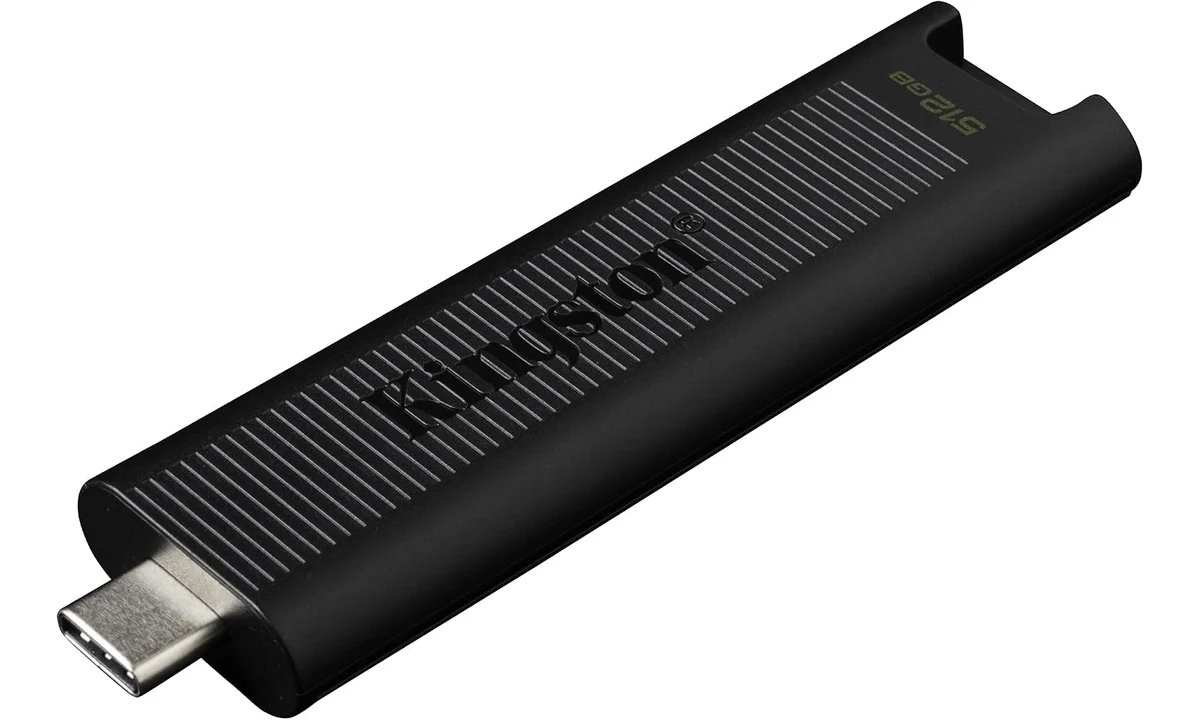
The Kingston DataTraveler Max 512GB is a useful option when you want fast-capable USB storage without carrying a separate cable. Its direct USB-C connection is the attraction, but it also defines the compromises: the drive protrudes from the computer, sustained writing depends on the workload, and a USB-C socket alone does not guarantee the fastest supported connection. Buy it for convenient transfers between suitable computers, rather than as a miniature substitute for every external SSD.
This review covers the USB-C DTMAX/512GB, not a different capacity or the USB-A version. It combines Kingston’s datasheet with original testing from StorageReview and AnandTech. Both independent sources examined a larger capacity, so their measured results are context for the family rather than benchmarks of this exact retail drive. We have not tested the selected unit, and no transfer time or sustained speed is assured here.
Confirm the connector and capacity together
The DataTraveler Max name appears on different variations. Check both the selected capacity and the physical connector before ordering. Retail pages can change the selected variation when you follow a link or choose a bundle. The product in this review is the nominal 512GB USB-C model, with lower usable capacity after formatting and the normal difference between advertised capacity and what software reports.
The retractable connector avoids a separate cap to lose. The shell also provides a keyring attachment and an activity indicator. These are useful handling details, rather than evidence of ruggedness. A sliding cover is not a documented waterproof seal, and a keyring loop does not establish that the drive can tolerate being knocked around while plugged into a laptop.
Consider whether a direct-plug design fits the computers you use. A recessed port, a bulky neighboring cable or a protective case can make access awkward. A cabled SSD can sit away from the connector, whereas this drive sits at the port itself. That distinction matters on a crowded desktop and on a laptop used where people can accidentally brush against the attached storage.
The interface is only one part of the speed
Kingston specifies USB 3.2 Gen 2 at 10Gbps and advertises up to 1000MB/s reading and 900MB/s writing. These are maximum product claims under suitable conditions, not the speed of every copy operation. The host port, source storage, destination workload, file sizes and other activity all contribute. A faster-capable drive cannot make a slow source disk deliver data more quickly than that disk can read it.
USB-C describes the connector shape. Some computers provide slower data capabilities through that connector, so check the computer’s specifications rather than judging by appearance. An adapter does not create a faster interface where the host lacks one. If you regularly transfer between several machines, the slowest common connection may determine whether paying for this drive’s peak capability is worthwhile.
The file set matters too. Copying a small number of large media files is different from copying a project containing many tiny documents and folders. File-system work and small operations can dominate the latter. A headline sequential rate is therefore an incomplete predictor of how quickly a complicated work folder moves. Compare storage with the sort of material you actually carry, not just the easiest benchmark to advertise.
A network copy introduces another possible bottleneck. If files originate on a remote server, the local drive’s specification does not remove the network limit. Likewise, a cloud folder may need to download content before it can be copied. Establish where the waiting time comes from before concluding that every slow transfer requires faster USB storage.
Why long writes need separate expectations
StorageReview and AnandTech’s original evaluations show why the DataTraveler Max family deserves attention beyond ordinary low-cost flash drives. They also illustrate that peak capability and sustained writing are different questions. Their tested capacity was not the 512GB selection here. We therefore use their findings to explain the issue, rather than assigning their precise transfer curves to this model.
A flash device can write quickly while an available cache absorbs incoming data, then behave differently during a longer uninterrupted transfer. The point at which behavior changes depends on the device and conditions. You should not assume a maximum rate will continue until the drive is full. This matters most when repeatedly moving large collections, rather than occasionally transporting a few documents.
Do not infer an exact cache size for this capacity from a review of another capacity. Even within a product family, the amount of flash and internal behavior can differ. If your purchase depends on maintaining a particular rate through a very large job, seek evidence for the exact version and workload or choose a storage solution evaluated specifically for that requirement.
For occasional transfers, waiting longer on an unusually large copy may be a reasonable tradeoff for avoiding a cable. For daily professional media transfers under a deadline, it may not be. The decision is not whether the drive is fast in an abstract sense; it is whether its documented capability and available evidence are sufficient for the task you cannot afford to delay.
Direct-plug convenience has a physical cost
A USB drive is easy to carry because it combines storage and connector in one object. Once connected, however, it forms a projection from the computer. Avoid moving a laptop through a narrow space with the drive attached. Put the computer on a stable surface while a transfer runs, and consider whether the chosen port exposes the drive to an accidental knock from your hand or another cable.
The sliding shell should not be treated as a handle for levering the connector. Connect and remove the drive deliberately rather than leaving it to support tension from a keyring or other attached objects. This is ordinary care for a direct connector, not a claim that this model is unusually fragile. A cabled design simply allows a different distribution of physical movement and weight.
For a shared office, label the drive clearly without obstructing its operation. Similar-looking portable storage can easily be confused, and the consequences can exceed the replacement cost of the hardware. Keep work material in an authorized location and follow the organization’s removable-media rules. Owning a convenient drive does not establish permission to copy sensitive files onto it.
Formatting and cross-platform use
Choose a file system according to the computers that need to read and write the drive. ExFAT is a common interoperability option, while a computer’s native file system may offer features more relevant to a particular operating environment. There is no universally best format for every mixture of machines, application requirements and security policies. Check compatibility before committing important files to a new arrangement.
Formatting can erase existing data, so make the decision before using the drive as the only location for anything important. If it already contains files, copy and verify them elsewhere before changing its format. A performance inconvenience is easier to solve than recovering material removed during an unnecessary reformat. Do not follow a generic speed tip that ignores the data already present.
Also test file-size and application compatibility with a representative copy, rather than assuming a successful connection proves every workflow. Some specialist equipment expects particular formats or removable-media behavior. A modern computer recognizing the drive does not establish that a camera, television or other appliance will support it in the same way. Match those devices to their own documentation.
Security is separate from speed
This model does not provide a documented hardware-encryption feature. If you need protected portable storage, evaluate an appropriate operating-system encryption method or a drive designed for that requirement. Software encryption can introduce compatibility and recovery considerations. Keep recovery information private and separate from the drive, and confirm you can unlock the files on the computers where they are needed.
A retractable plug, substantial capacity and a known brand do not protect files from someone who finds an unencrypted lost drive. Consider the sensitivity of the material, not just its size. For a few public presentation files, portability may be the principal concern. For personal records or confidential work, access control can matter more than the difference between competing transfer specifications.
A single copy on a removable drive is not a backup strategy. Keep another verified copy of important material in an appropriate independent location. If you use the drive to move files between computers, verify that the destination copy is complete before deleting the source. The convenience of carrying an entire project should not turn one small physical object into its only surviving home.
Comparing it with cabled storage
The Crucial X9 Pro and Samsung T7 Shield already covered on TopDataLLC use a different physical approach: a separate cable connects a portable SSD. That adds an item to carry but allows the storage body to sit away from the host port. Compare their exact capacities, documented interfaces and intended protection features individually. Do not assume all cabled SSDs share one performance or durability profile.
A portable hard drive such as the WD Elements is another category again. It can be relevant when bulk capacity matters more than compact direct-plug transfers, but it brings different handling and performance characteristics. Choosing between these categories should start with the job: routine project transport, a larger secondary collection or intensive repeated transfers. The same storage device need not be ideal for all of them.
A modest USB flash drive remains sensible for small files where compatibility and low replacement cost dominate. Paying for a high maximum rate brings little benefit when you mostly move documents from a slow source or an older port. The DataTraveler Max becomes more persuasive when you have suitable hosts, meaningful transfer volumes and a clear preference for a cable-free form.
An arrival check that reflects actual use
Confirm the model identifier, capacity and connector against the order, then test the drive with nonessential material. Copy a representative collection and open files from the destination. Check behavior on each computer you intend to use, not just the newest one. This basic assessment can reveal a port or format mismatch while the return route is still straightforward.
Do not judge solely by a brief peak shown at the start of a copy. Observe whether the complete task finishes acceptably, whether the drive physically fits beside your other connections and whether your chosen security arrangement is workable. Avoid publishing a single uncontrolled test as a general benchmark. Its value is deciding whether the drive suits your own setup, not proving every advertised maximum.
Verdict
The DataTraveler Max 512GB USB-C is a credible choice for someone who frequently moves files between compatible computers and values leaving a cable behind. Its retractable connector and fast-capable interface are practical strengths. Its case is weaker when prolonged writing, rugged handling or built-in protected storage is the main requirement and exact-model evidence is essential.
Buy it with realistic expectations about host compatibility and workload-dependent speed. Keep an independent copy of important material, protect the exposed connection during use and choose an appropriate file system deliberately. The strongest reason to choose this model is the combination of capable transfers and direct connection, rather than an assumption that a headline rate turns a flash drive into an uncompromised external workstation disk.