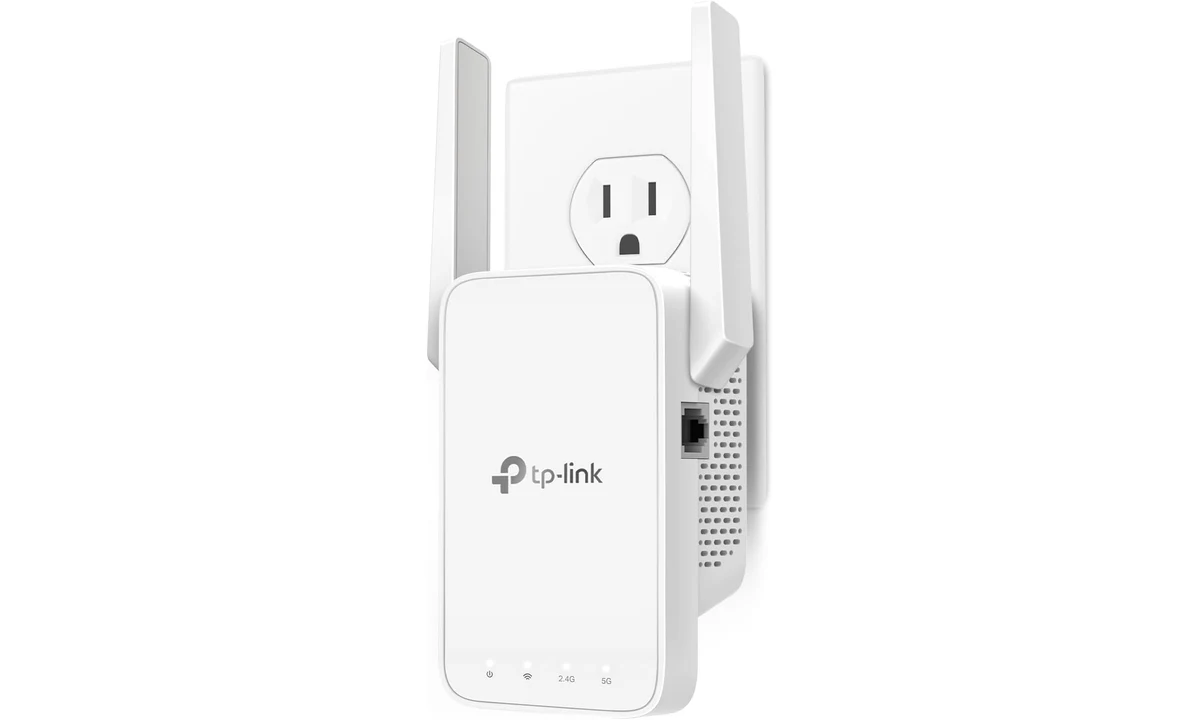
The TP-Link RE315 is worth considering when one room has weak Wi-Fi and there is a usable outlet between that room and the router. It is a way to extend an existing connection, with compromises. It cannot create a good upstream signal where none reaches it, and its Ethernet socket is not a shortcut to gigabit performance. Placement matters more than the large wireless number on the box.
This review concerns the US RE315, with the exact hardware revision and firmware still important at purchase. It uses TP-Link’s specifications and compatibility guidance alongside TechGearLab’s original extender comparison. We have not measured coverage in your home or tested this unit ourselves. The recommendation is for a limited coverage problem where keeping the current router makes sense, rather than a universal remedy for slow internet.
Establish where the problem starts
Before buying an extender, compare the connection close to the router with the connection in the troublesome room. Use the same device and a similar task at both locations. If a video call is unreliable beside the router as well as upstairs, an extender may simply distribute an already poor connection. The fault could lie with the internet service, router configuration, congestion or the client device.
A wired baseline is useful when it is available, because it separates the internet service from wireless conditions. You do not need an elaborate benchmark project: the purpose is to avoid buying coverage equipment for an unrelated bottleneck. Record whether the difficulty involves an absent signal, slow downloads, intermittent calls or only one old device. Different symptoms can call for different changes.
Also try a sensible router location before adding another radio. A router hidden behind dense furniture at the edge of the home may be disadvantaged unnecessarily. Moving existing equipment can be inconvenient, but it costs less than maintaining a second device that compensates for poor placement. If the router cannot move because of the service entry point, the RE315 becomes a more relevant option.
What AC1200 does and does not mean
TP-Link advertises link rates of 300Mbps on 2.4GHz and 867Mbps on 5GHz. These describe wireless capabilities under the relevant standards, not a promise that a laptop will download at their combined total. Real traffic includes overhead and shares a radio environment with other devices. The link from the router to the extender is another part of the journey, not an unlimited feed.
The RE315 uses an older Wi-Fi generation than newer routers and mesh systems. That is not automatically a reason to reject it for a modest coverage task. It does mean that pairing it with an expensive modern router does not give every extended connection that router’s full capabilities. Judge it against the workload in the room, such as browsing and calls, rather than the fastest speed your internet subscription advertises.
Wireless repetition consumes shared airtime. A device may show a stronger connection to the extender while still depending on a constrained upstream link. This is why signal bars alone are an incomplete assessment. A stable call or completed file transfer is more informative than a full signal icon, especially if other household members are using the network at the same time.
TechGearLab’s original comparison places the RE315 as useful for reaching an additional room, while pointing to older wireless and slow LAN limitations. Those findings support a targeted purchase, not a guarantee of the same results through your walls. Building materials, neighboring networks and router position are too important to transfer another tester’s coverage measurements directly to a different home.
Put it where the router is still audible
The tempting location is inside the room with the worst service, because that is where you notice the problem. The useful location may be closer to the router, where the extender can still receive a dependable upstream signal. Think of it as a relay that needs to hear the original connection clearly before passing traffic onward. Moving it farther away cannot compensate for an unusable feed.
Start setup near the router, then relocate according to the signal guidance and practical testing. Hallway outlets and intermediate rooms can be more useful than the final destination. Keep the location accessible so you can observe indicators and reach the controls. A socket behind heavy furniture may look tidy but make both radio placement and troubleshooting inconvenient.
Consider the outlet itself. The US plug must suit the local power arrangement, and the body and antennas need space around neighboring plugs. Do not make a purchase plan that depends on balancing it against a loose adapter or hiding it where it is difficult to inspect. A suitable outlet is part of the installation requirement, just as a suitable router connection is.
After relocation, test from the actual working position in the weak room. A laptop on a desk can experience different conditions from a phone held in the doorway. Try the task that originally failed, and repeat it when normal household traffic is present. A placement that wins one quick speed test but makes evening calls unreliable is not the better practical result.
The Ethernet socket has a firm limitation
The RE315 has one 10/100Mbps Fast Ethernet port. It is not a gigabit port. A desktop connected there may avoid its own weak Wi-Fi radio, but in extender mode the RE315 still needs to communicate wirelessly with the router. An Ethernet cable covering the last short distance does not turn that upstream wireless hop into a wired connection.
That arrangement can still be useful for a device without suitable wireless capability, provided the overall speed and reliability meet its needs. The mistake is treating the socket as evidence that a fast storage transfer or high-speed internet plan will be delivered without a bottleneck. The port’s documented limit remains relevant even if the wireless signal indicators look excellent.
Access-point mode changes the arrangement: a wired connection feeds the device, which then provides wireless service nearby. However, that wired input still uses the same Fast Ethernet port. If you can already run a cable to the room, compare a more suitable access point before buying the RE315 for that job. Cabling makes other network designs possible and deserves a fresh comparison.
A basic Ethernet switch, such as the TL-SG105 already covered on TopDataLLC, solves another problem: adding wired connections where a wired network is present. It does not extend wireless coverage on its own. Choosing between a switch, extender and access point is easier once you distinguish a shortage of sockets from a weak radio connection. Similar-looking small networking boxes do very different work.
Mesh names require more than a brand match
TP-Link sells several networking families. Its documentation distinguishes Deco, Archer OneMesh or EasyMesh arrangements, and other ecosystems. Buying two products with the same logo does not establish that they operate as a unified mesh system. The exact router, extender hardware and firmware need to appear in the relevant compatibility information for the function you expect.
This matters if you already own an Archer AX55 or a Deco X55 system, both covered elsewhere on the site. Do not assume that this extender simply becomes another equivalent node in either setup. Confirm the specific supported arrangement first. A conventional extension may be possible without providing the coordinated roaming or management behavior you were expecting from a mesh purchase.
Firmware changes can alter support, so an old review or retail headline is not enough to settle current compatibility. Check the unit’s hardware version and the corresponding official support information. Avoid loading firmware intended for another region or revision. If you cannot establish the required combination clearly, choose a system whose documented expansion path matches your current equipment instead.
A shared network name can make an installation look unified without ensuring every client switches at the moment you want. Roaming also involves the client device. If uninterrupted movement during calls is the central requirement, test that behavior specifically or consider a coordinated system designed for it. A fixed desk in one weak room is a less demanding use case than walking around the home on a live meeting.
Setup, security and ongoing ownership
TP-Link provides Tether and a supported web interface for management. Use the official setup route for the exact hardware and retain the administrator details privately. Do not confuse the wireless password used by household devices with the credentials used to manage equipment. Both deserve deliberate handling, and a convenient setup should not leave an unintended open network behind.
Update through the appropriate official firmware process and keep a note of the location and intended network arrangement. That small record is useful when the router is replaced later. Otherwise, an extender can remain plugged in long after its original configuration stops making sense, leaving someone to troubleshoot an unknown network name or stale connection rather than the current service.
If performance deteriorates, assess the upstream router connection before repeatedly resetting the extender. Nearby equipment, furniture or household usage may have changed. Simplify the test by checking one client close to the extender, then compare the same client near the router. Resetting everything immediately can destroy the information that would have identified the actual problem.
When a different solution is the better purchase
Choose a coordinated mesh system when several rooms need improvement and you want a planned whole-home arrangement. That costs and changes more than adding a single extender, but it addresses a broader requirement. Adding separate repeaters room by room can become difficult to manage if the underlying problem is a poorly served home rather than one awkward corner.
Choose a wired access point when a suitable cable is already available and wireless service is the requirement. Choose a direct Ethernet connection for a fixed workstation when feasible and appropriate. These alternatives reduce reliance on a repeated wireless path. They may require installation work, but the RE315’s convenience should be compared with the benefit of solving the underlying connection route.
Keep the current router if its main coverage is good and the weak room only needs modest service. In that situation the RE315 can be a proportionate addition. Avoid paying for capabilities you will not use, but also avoid false economy if the device’s Ethernet limit or mesh incompatibility directly conflicts with your plan. The cheapest purchase is not useful when it addresses the wrong task.
Keep a simple record
Note the final outlet and the task used to assess it. That gives you a useful reference if furniture, the router or household usage changes later.
Verdict for a single troublesome room
The RE315 earns a conditional recommendation for a small, well-defined coverage extension with a viable intermediate outlet. Confirm the exact US hardware, check mesh support if you need it, and evaluate performance in the room using normal tasks. Its appeal is extending the usefulness of equipment you already own, not matching a modern router’s headline speed throughout a building.
Skip it if you need gigabit Ethernet, several newly covered rooms, assured coordinated roaming or a solution to poor internet service at the router itself. The most important purchase decision happens before setup: establish that a relay is appropriate. With realistic expectations and deliberate placement, this is a sensible category of tool. Without that diagnosis, stronger signal bars can conceal an unchanged bottleneck.