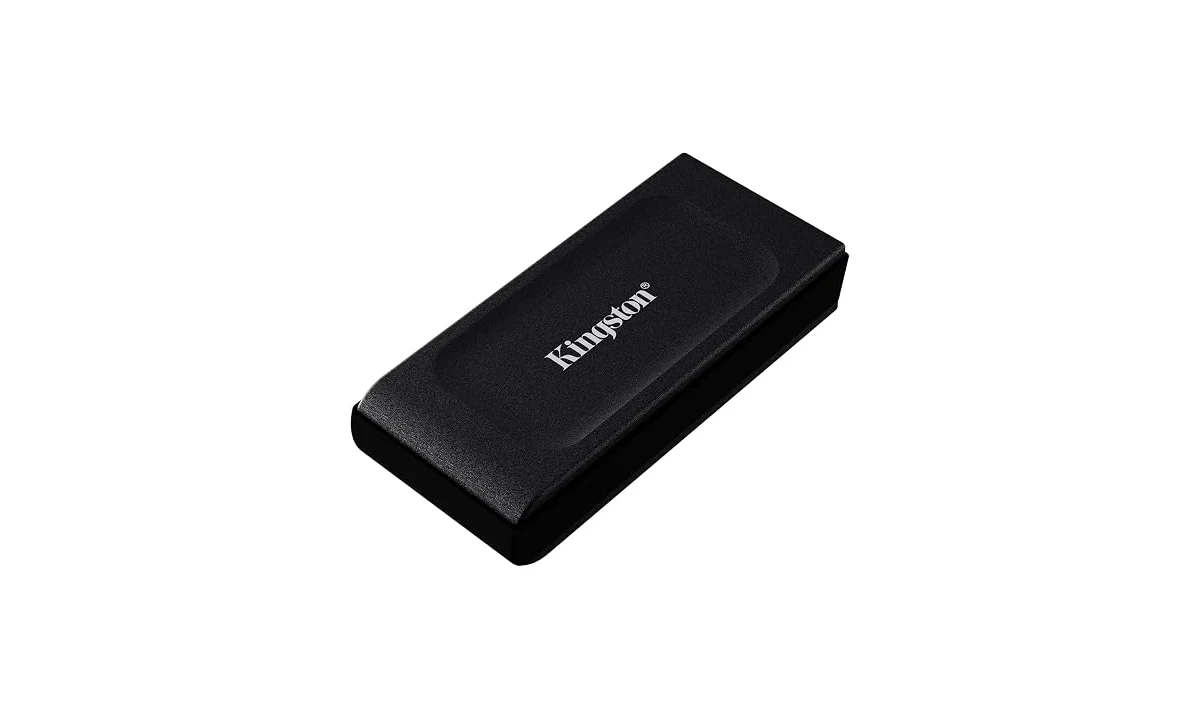
The Kingston XS1000 is a small portable SSD for moving files and maintaining an additional copy without carrying a large enclosure. The selected product is the black 1TB SXS1000/1000G. Its most important buying question is not whether its headline speed looks impressive, but whether your transfers are ordinary working batches or long, sustained writes that continue after a drive's fast temporary storage is exhausted.
That distinction changes the recommendation. An everyday document, photo and project shuttle can be a good match for a compact external drive. A workstation that continuously writes very large video collections needs closer attention to sustained performance. The XS1000 deserves consideration for convenience, but it should not be chosen as though every operation runs at the maximum rate printed on the box.
Identify the capacity and connection
Kingston's current US data sheet lists the XS1000 with USB 3.2 Gen 2 and rated speeds up to 1,050MB/s reading and 1,000MB/s writing. Those are manufacturer maximums, subject to the host, software and usage conditions. They are not a promise that a mixed folder, older computer or long continuous transfer will maintain the same throughput.
The selected 1TB model should also remain distinct from the 2TB model used in PCWorld's original performance evaluation. That review is valuable evidence about the family's design and the importance of write behavior, but its measured timings cannot simply be assigned to another capacity. Capacity, available free space and the actual workload all belong in the comparison.
USB-C describes the physical connection on the drive; it does not establish the speed of the computer's port. Before buying, identify the host port's documented data capability and the cable path you intend to use. A faster-looking connector, adapter or hub cannot remove a slower link elsewhere between the computer and the SSD.
For a shared drive, consider every computer that will use it. A desktop may have a suitable faster port while an older laptop does not. The drive can still be useful across a mixed collection of machines, but the experience will vary with the connection. Decide whether portability between those machines matters more than reaching the advertised maximum on one of them.
A genuinely small piece of luggage
The manufacturer lists dimensions of 69.54 by 32.58 by 13.5 millimeters and a weight of 28.7 grams. Its case combines metal and plastic. These specifications explain the appeal for a small accessory pouch: the drive itself occupies little room. Remember to include its cable and any required adapter when judging how conveniently the complete setup travels.
Smallness also creates an organization problem. A little drive can disappear beneath a notebook or be left in the wrong pocket more easily than a larger desktop enclosure. Give it a consistent place in the bag and label it in a way that distinguishes it from other drives. Useful portability includes being able to find the right storage device when work is waiting.
Do not confuse a compact case with documented protection against a particular environment. If your work involves moisture, dust or rough handling, compare the explicit protection and operating requirements of the products on your shortlist. The XS1000 data sheet is a specification document, not a reason to assume protection that it does not describe.
Cable placement matters at a busy desk as well. Avoid leaving the drive hanging from a laptop's port or somewhere it can be caught when a chair moves. A lightweight accessory does not make the host connector immune to strain. A stable place beside the computer is often more useful than the shortest possible cable arrangement.
What independent testing does and does not show
PCWorld's original review found good everyday transfer performance from its tested XS1000, but a substantial slowdown during a very long write. That is the important finding to carry into a buying decision. A drive can feel brisk during normal file handling and still become less suitable when an uninterrupted job is large enough to change its write behavior.
The review's result should not become a universal stopwatch prediction. It tested a particular capacity, sample and computer environment. The practical lesson for the selected 1TB version is to investigate the kind of transfer you actually perform rather than assuming a short synthetic result describes all use. We do not assign PCWorld's larger-capacity measurements to this version.
For someone copying a working document folder at the end of the day, convenience and a reliable routine may matter more than an exceptional sustained-write result. For someone repeatedly ingesting large media collections, a slowdown can become a regular interruption. The same physical drive can be a sensible purchase for the first situation and an awkward one for the second.
A useful pre-purchase exercise is to inspect the largest transfers you do routinely. Distinguish a collection of small files from a few very large files and from a one-time migration. Those are not interchangeable tests. A rare initial move may be tolerable even when continuous daily writing would justify a drive selected specifically for stronger sustained behavior.
Plan the cable and adapter
The current Kingston data sheet lists a USB Type-C-to-Type-A cable and a Type-A-to-Type-C adapter. PCWorld's older package description mentioned the cable without that adapter, so package information has changed over time. Confirm the contents of the exact retailer offer rather than assuming every stored or imported unit contains the current accessory set.
For a USB-C-only laptop, adapter availability is a practical purchase detail rather than a minor footnote. Verify that your cable or adapter supports the required data connection and reaches a suitable port without blocking another important connection. A cable that happens to charge a device is not, by that fact alone, the right cable for an external SSD workflow.
A hub may be convenient when a laptop has few ports, but it adds another component to diagnose if transfers are slower or less reliable than expected. Start your evaluation with a straightforward connection where possible. After establishing that baseline, add the hub or dock you plan to use and check whether the same work still behaves acceptably.
Keep any required adapter with the drive, particularly when another person will use it. A storage device that is handed over without the right connection can leave the recipient unable to open the files at all. The XS1000's compact size is most valuable when the complete, usable arrangement remains compact and easy to keep together.
A first migration and a repeated working transfer deserve different weight in the decision. If the drive will receive an archive once and then carry occasional smaller additions, a slower initial copy may be an acceptable inconvenience. If the same large collection is rewritten repeatedly, that inconvenience becomes part of every working session. Evaluate the repeated job, rather than letting a rare initial task dominate the choice.
Compatibility is more than a device list
Kingston lists compatibility across Windows, macOS, Linux, ChromeOS, Android and iOS or iPadOS, while qualifying that support depends on host hardware and software. Its data sheet notes that an additional OTG cable may be needed for mobile devices. Do not interpret the operating-system list as a guarantee for every phone, tablet or application combination.
Before using the drive between different operating systems, decide what file-system format and application support the shared workflow requires. Check the host's documentation and protect existing files before any reformatting. The useful question is whether each intended machine can read and write the files as required, not merely whether it can physically accept a connector.
Mobile use adds practical questions about supported accessories, power and the application that will access the files. Resolve those requirements for the actual device rather than purchasing around a generic claim of phone compatibility. If your main purpose is recording or editing directly on a tablet, obtain workflow-specific confirmation instead of assuming ordinary file storage proves that capability.
For a work computer, check any policy governing removable storage. Hardware compatibility does not establish permission to copy company information onto a personal drive. This is an administrative check, not a special limitation of the XS1000, but it can determine whether the purchase has a useful role in the workflow you have in mind.
Use it as part of a storage routine
A portable drive is useful as an additional copy only when another valid copy remains elsewhere. Moving the only copy from the computer onto the SSD changes its location; it does not create redundancy. Decide which files remain on the computer, which are copied to the drive and how you will know that a copy has completed successfully.
Organize folders so the direction of copying is obvious. A drive shared between computers can easily accumulate versions with similar names, leaving uncertainty about which one is current. A clear project structure and a consistent handover routine can prevent more confusion than another increment of advertised speed. Storage capacity is only part of a usable file-management arrangement.
Leave time to verify important transfers before disconnecting or deleting an original. Use the operating system's normal safe-removal procedure and allow ongoing work to finish. These habits do not promise that a drive can never fail, but they help make file handling deliberate rather than an improvised sequence of dragging folders and unplugging a cable.
The nominal capacity also does not describe the space available for every file. Kingston notes that formatting and other functions use some of the listed storage. Plan capacity around the working collection and its likely growth, with room for normal management, rather than treating the label as the exact amount an operating system will display for your documents.
Alternatives and ownership limits
A basic external hard drive may be worth comparing when capacity per purchase matters more than compact solid-state convenience or fast everyday access. Compare the full physical arrangement and the work you will perform, rather than making a category-wide promise about speed or durability. The best fit depends on whether the drive travels frequently or mainly stays beside a desktop.
A portable SSD with specifically demonstrated sustained-write performance is the more relevant alternative for repeated large media jobs. Read an original test of the exact capacity where possible, and examine long-transfer behavior rather than just a peak sequential figure. That is a more useful comparison for this workload than choosing whichever product prints the largest maximum number.
Kingston's limited warranty is described as five years or the relevant SSD life-remaining condition, with further terms available from the manufacturer. Do not turn that into an unconditional promise of free replacement for every failure. Keep the receipt and exact part number, and maintain other copies of important data regardless of the warranty period.
Verdict
The black 1TB Kingston XS1000 makes sense as a small everyday file shuttle or an additional storage copy when your host connection and normal transfer sizes suit it. Its compact body and straightforward role are the attraction. Check the exact package contents and the intended computers before buying, and treat maximum speeds as qualified specifications.
Look elsewhere if uninterrupted very large writes are central to your working day, or if you need explicitly documented environmental protection or a specific mobile-recording workflow. PCWorld's long-write finding is a reason to match the drive to the job, not to dismiss every ordinary use. Buy it for the work it can support, rather than for an assumption that all SSD transfers are alike.