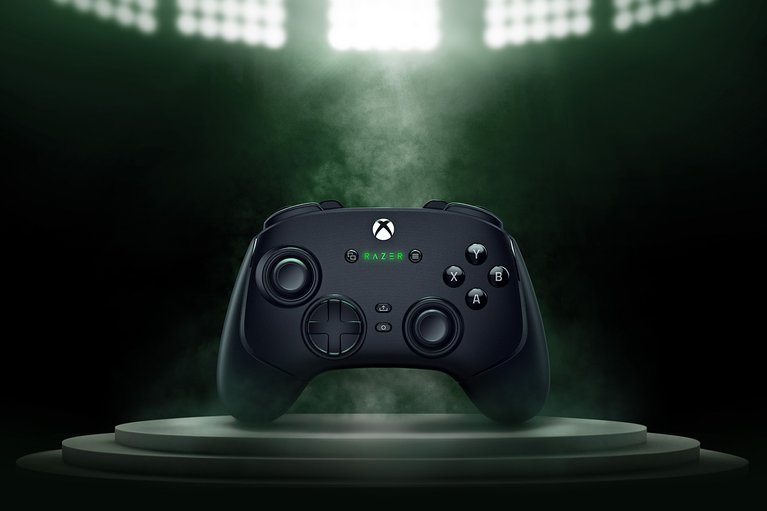
The exact product covered here is the black US Razer Wolverine V3 Pro for Xbox and PC, model RZ06-05200100-R3U1. That matters because the Wolverine name now sits beside newer variants. The sensible buying question is whether this controller’s extra inputs, trigger settings and wireless options match your setup.
What this controller is for
The V3 Pro is aimed at players who want more inputs without moving primary actions to a keyboard or another control device. Razer lists four mouse-click back buttons and two claw-grip bumpers. Those controls sit alongside the normal face, shoulder and stick inputs, giving you more places to assign actions.
Six extra controls sound useful, but they only justify a premium controller when they solve a real problem. Moving jump, reload, crouch or stick-click actions away from the thumbs can help certain layouts, while other players may rarely use the added buttons. The value is therefore tied to your games and willingness to learn a different hand position.
PC Gamer describes the rear controls as recessed, wing-style paddles rather than the taller vertical arrangement on the earlier V2 Pro. Its reviewer found the new placement easier to reach. That is an independent ergonomic finding, not a measurement, and finger reach will still depend on hand size and grip.
The two claw-grip bumpers serve a different audience from the rear controls. They are positioned near the shoulders, and PC Gamer describes them as additional remappable buttons for claw-style users. They may be easier to reach for someone already using that grip, but they do not automatically make the controller comfortable for every hand position.
The thumbsticks use an asymmetric, Xbox-style layout. PC Gamer lists Windows 11, Xbox One and Xbox Series X/S as compatible platforms. That makes this version a natural fit for Xbox households and Windows gaming PCs, rather than a controller selected primarily for a symmetrical PlayStation-style layout.
Controls and adjustability
Razer calls the trigger system Pro HyperTriggers. PC Gamer reports that the triggers can switch between short-throw, mouse-like clicks and longer pulls. The short setting is relevant to quick button-style inputs, while the longer setting preserves more travel for games where gradual trigger movement matters.
The trigger adjustment is mechanical rather than an app-only preference. That means the fundamental choice can be made at the controller, although the supplied evidence does not establish how every game interprets the two settings. Buyers should view it as a flexible control mode, not as a measured performance improvement.
PC Gamer describes the front buttons as mecha-tactile and clicky. Crisp tactile feedback can appeal to players who prefer a distinct press, but it is not universally better than a softer button. The same review says the clicking may annoy people nearby during late-night gaming, so a shared room changes the fit calculation.
The floating D-pad is mechanical, according to PC Gamer, and provides precise clicks for each direction. That makes it particularly relevant to side-scrollers and fighting games, where repeated directional inputs matter more than they do in many camera-controlled games. If you rarely use the D-pad, this feature may be less important than the rear controls.
The V3 Pro uses Hall effect thumbsticks, according to both Razer’s product page and PC Gamer. Hall effect sensing addresses a common contact-wear pathway associated with conventional stick designs, but the supplied evidence does not support treating the sticks as immune to every possible future fault. The feature is useful durability context, not a promise of permanent operation.
The controller includes taller and shorter domed thumbstick options, according to PC Gamer. A taller stick can change leverage and reach, while a shorter option may feel less demanding for broad movement. The reviewer also says that reattaching the sticks can be tricky because they must align with marked indicators, so swapping them is a deliberate adjustment rather than an instant convenience.
Wireless and platform fit
PC Gamer lists Razer HyperSpeed, Xbox Wireless and USB wired connectivity. It also lists a USB-C port. That combination covers the core Xbox-and-PC use case and leaves a wired fallback if wireless is unsuitable or the battery is depleted.
Bluetooth is the clearest limitation. PC Gamer reports that the V3 Pro does not support Bluetooth and therefore cannot connect to smartphones or tablets through that standard. If your controller plan includes mobile gaming, a tablet or another Bluetooth-only device, this model’s focused Xbox-and-PC design becomes a meaningful restriction.
PC Gamer reported that the HyperSpeed connection remained stable without dropped connections during its testing. That is an independent finding from one review, not a result that should be projected onto every room, receiver position or wireless environment. It is useful evidence for the intended setup, while sensible receiver placement remains part of ownership.
The V3 Pro supports a 1000 Hz polling rate, according to PC Gamer. The same publication says Tournament mode is available only on PC. The higher polling rate may be imperceptible to most players, making this a specialized PC feature rather than a reason to assume Xbox play receives the same mode or benefit.
Battery life is reported by PC Gamer as around 20 hours per charge. That is an independent estimate, not a fixed operating figure for every game, volume level or wireless condition. The same review says the controller works when wired if the battery runs down, making the USB connection an important fallback rather than a minor accessory detail.
Setup and software
PC Gamer reports that the extra buttons can be remapped directly on the controller. That suits players who switch layouts occasionally and do not want to open software for every change. Direct remapping is especially practical on a shared Xbox, where a Windows-based setup routine may be inconvenient.
More advanced customization uses the Razer controller app for Windows or Xbox, according to PC Gamer. The review says the app can save custom profiles for different games. That gives the additional buttons more value across a varied library, but it also makes the software part of the product’s ownership experience.
There is an important catch to those profiles. PC Gamer reports that profiles cannot be switched on the controller itself and must be changed through the app. If you move between several games in one session, the hardware may offer multiple layouts while still requiring a software visit between titles.
The supplied evidence does not establish whether every profile feature behaves identically on Windows and Xbox. It supports app use on both platforms, but it does not support assuming that every saved profile transfers exactly between them. Mixed-platform buyers should check current Razer support information before building a large collection of configurations.
That distinction also affects setup expectations. A player who wants one permanent layout can use direct remapping and keep the process simple. Someone who wants game-by-game profiles should plan for app access and should decide whether that extra step is acceptable before paying for the controller’s additional controls.
Physical fit and ownership trade-offs
PC Gamer lists the controller’s weight as 304 grams. That is a substantial, measurable specification rather than an ergonomic verdict. More mass can make a controller feel planted, while it can also matter during long sessions or for smaller hands. The number should be considered alongside the grip shape and the reach to the extra buttons.
The independent review praises the rubber-coated hand grips and describes the controller as comfortable to hold for long periods. That is an independent assessment, not a result from this review. It supports the case for players who prefer a secure Xbox-style grip, while hand size, posture and control reach can still change the experience.
The V3 Pro removes the Chroma RGB lighting found on older models, according to PC Gamer. The reviewer says the remaining illumination is a glowing Razer logo. This is a presentation trade-off rather than a control limitation: buyers who want restrained styling may not mind, while RGB-focused setups should know that the earlier lighting treatment is absent.
PC Gamer reports that haptics remain available and can be turned off completely. That gives players a way to disable vibration for competitive games and retain it for other titles. The source supports switchable haptics, but it does not establish identical feedback behavior across every compatible game.
The official page identifies the selected color as Black and presents white and an Esports Green Edition as other options. This review concerns the black US listing. A different color or edition should not be assumed to have identical packaging, included accessories or model identification without checking its own current product page.
Maintenance is mostly about preserving the controller’s physical and software workflow rather than performing a special service routine. Keep the USB connection available for charging or wired play, remember that the removable thumbsticks need correct alignment, and expect the app to remain relevant if you use multiple profiles. The supplied sources do not document a user-replaceable battery or a repair procedure.
Distinguishing the 8K listing
The buyer problem includes a newer Wolverine 8K listing, but the supplied evidence does not provide a direct technical specification for that model. PC Gamer includes a related-link reference to a Wolverine 8K controller, while the official passage supplied here concerns the Xbox-and-PC V3 Pro. That is not enough evidence to state the 8K model’s platform support, included controls or wireless behavior.
The safe buying rule is to match the full model code and platform description rather than relying on the shared Wolverine name or a product photograph. This review’s model is the version documented for Windows 11, Xbox One and Xbox Series X/S. If a listing says PC only or emphasizes 8K, treat it as a different purchase until current manufacturer documentation says otherwise; the supplied sources do not establish its specifications.
Alternatives and value decision
The Xbox Elite Series 2 is the most relevant named alternative in the supplied review. PC Gamer presents it as an option for buyers who do not need 1000 Hz polling, but the supplied passage does not provide a complete current feature comparison. The useful category-level decision is whether you want a familiar premium Xbox controller or this model’s particular rear controls, trigger modes and stick design.
A standard Xbox controller is the simpler category alternative for players who do not need extra paddles, claw-grip bumpers or adjustable trigger behavior. The supplied sources do not support a detailed comparison with a specific standard model, so the practical point is narrower: do not pay for added controls that will remain unused.
The V3 Pro makes the most sense for Xbox-and-PC players who will use its six additional remappable inputs, who prefer an Xbox-style layout and who value a wired fallback. Hall effect thumbsticks and adjustable triggers add to that fit, but only when those features address a real preference or control problem.
It is a weaker match for Bluetooth-dependent setups, mobile users, people sensitive to click noise or buyers who expect to change profiles without opening software. It is also unsuitable for PlayStation-focused households: PC Gamer reports that the V3 Pro adds Xbox wireless support but no longer supports PlayStation.
Verdict
Buy the Razer Wolverine V3 Pro Black US RZ06-05200100-R3U1 when your primary setup is Xbox and Windows 11, your fingers can reach the recessed rear controls, and you will use adjustable triggers or extra mappings. Its documented platform support and independent findings form a coherent case for that specific buyer.
Choose a simpler controller if you mainly play casually, need Bluetooth, share a quiet room or do not want app-dependent profile changes. Most importantly, verify the model code before checkout. The supplied evidence supports this Xbox-and-PC V3 Pro, but it does not support treating the newer 8K listing as the same controller. That distinction is the real purchase decision.