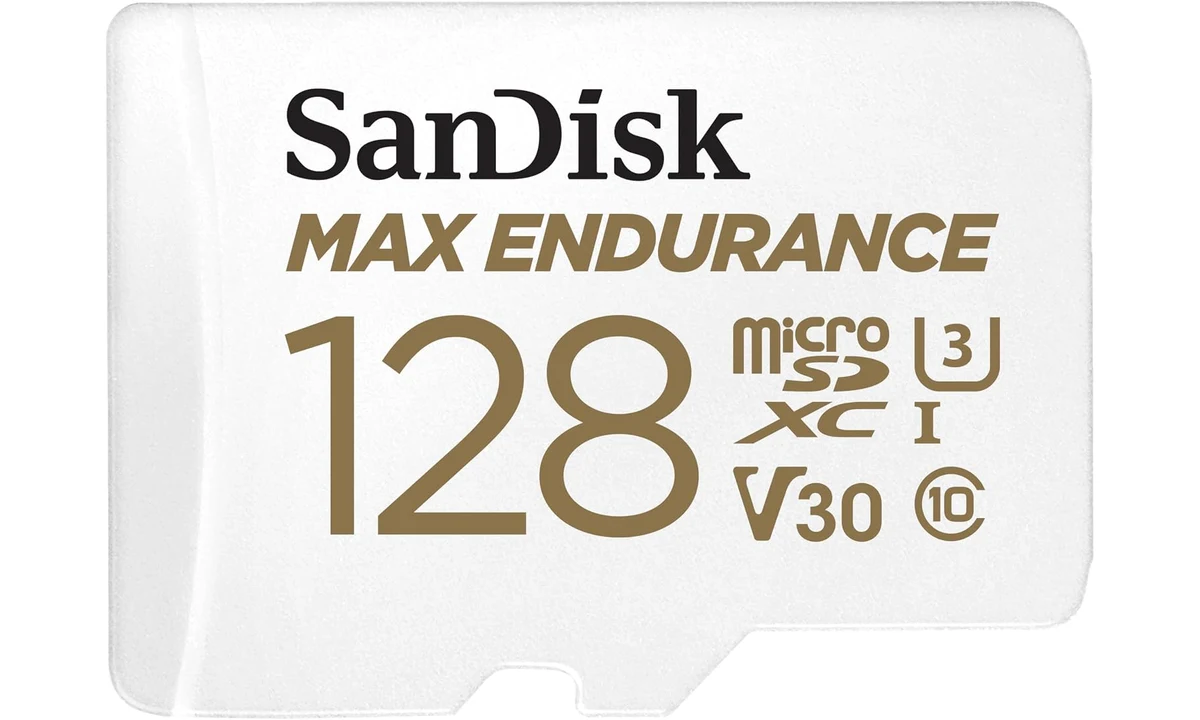
The SanDisk MAX ENDURANCE 128GB is a microSD card to consider when a compatible camera repeatedly records and overwrites footage. Its purpose is different from buying the fastest-looking card for occasional photographs or game storage. The important decision is whether the camera supports this exact capacity and card type, followed by whether local loop recording meets your needs. An endurance label does not turn the card into a permanent archive.
This review covers model SDSQQVR-128G-GN6IA with the full-size SD adapter. It combines SanDisk’s product information and datasheet with the SD Association’s explanation of speed classes. We have not performed a long-duration wear test or measured transfer speeds. The recommendation is therefore about documented specifications and recording workflow, with no promise that an individual card will last a particular number of years or preserve every important event.
Recording capacity and write endurance are different
The 128GB label describes nominal storage capacity, with less usable space available after formatting and system requirements. It does not describe how much data the card can accept over its entire working life. A camera can fill the available space, overwrite old material and repeat that process many times. Storage history and cumulative writing are related but separate purchasing questions.
SanDisk’s endurance claims concern a conditioned lifetime workload. They should not be read as the amount of footage retained simultaneously. A headline number of recording hours can look like a promise that a camera keeps an enormous archive, when the actual local history depends on how much data the camera writes each hour and what it deletes. Keep those two meanings separate before comparing cards.
Resolution alone is not enough to calculate the retained history. Recording bitrate, compression, audio, frame rate and whether the camera records continuously or only on events all contribute. Two cameras using the same card can retain very different periods. Use the camera’s own documentation and measured behavior rather than converting the card’s packaging into an unsupported retention promise.
Choose capacity around the time you reasonably need to retrieve a recording. If you only discover an event after the camera has overwritten it, extra endurance cannot restore the missing file. A larger supported card may extend the local history, while an independent recording destination can solve a different resilience problem. Decide whether the main need is repeated writing, more history or a separate copy.
Check the camera’s exact card requirements
MAX ENDURANCE 128GB is a microSDXC UHS-I card. A slot accepting the physical card is not complete evidence of support. Confirm the camera’s documented capacity range, file-system expectations and card recommendations. Older devices can have limits that a current computer does not, so successful use in a laptop reader does not establish suitability for every dashcam or home camera.
The selected model is distinct from SanDisk High Endurance and Extreme cards. Similar colours, capacity choices and product-family names can conceal different intended uses. Match the model identifier at checkout, including the selected capacity. A listing that changes variants when you choose a bundle deserves another look before you assume the photograph and specification still describe the same card.
For a device such as the Tapo C120 already covered on TopDataLLC, consult the current camera documentation and support guidance for the exact hardware and firmware. We do not infer compatibility merely because both products concern home recording. The storage purchase is one part of the camera system, and the host remains responsible for recognizing and writing the card correctly.
The same principle applies to dashcams. Some makers specify particular endurance products or maintain a compatibility list. Follow that guidance where available, especially if warranty or support depends on using approved storage. A general endurance recommendation should not overrule a specific host requirement. If the exact combination cannot be established, resolve that question before relying on it to capture important material.
What the speed markings tell you
SanDisk advertises up to 100MB/s reading and 40MB/s writing for this family, with C10, U3 and V30 markings. Read and write maxima describe different operations, and neither is the same thing as a promised result on every host. Retrieving recordings to a computer depends on the reader and computer as well as the card; recording depends on the camera’s writing path.
The SD Association explains that speed-class symbols concern minimum sequential writing under their specified conditions. V30 represents a 30MB/s class, rather than a read-speed measurement or a universal video-resolution certification. The host needs the appropriate supported mode. A camera’s required class should be matched directly instead of assuming any larger number printed somewhere on a card is the relevant one.
A UHS-I card is not a UHS-II card or an SD Express card. A passive adapter does not change the underlying interface or add another generation of performance. This matters when comparing it with storage advertised for very different applications. The correct purchasing question is whether this card meets the camera’s documented sustained-writing requirements, not whether it has the largest maximum read figure available.
Likewise, a V30 marking does not establish that every possible high-resolution recording mode will work. Bitrate and host requirements remain decisive. Some professional cameras or demanding modes need a different storage class or interface. Choose according to those documented requirements instead of treating the MAX ENDURANCE name as a general exemption from speed and compatibility limits.
The adapter is convenient for retrieval
The included full-size SD adapter helps use the microSD card with an appropriate larger slot. It does not add storage, speed or protection for the files. Check that the reader supports the underlying microSDXC card and intended data path. A reader supplied with another camera or an old laptop slot can become the practical limit when moving a large set of recordings.
A small card is easy to misplace while transferring footage. Set aside a clear surface, identify the correct adapter and avoid leaving the card loose beside other tiny accessories. The financial cost of the card may be modest compared with the inconvenience of losing the only recording. Handling deserves attention precisely because the physical storage is so small and easy to overlook.
If you frequently retrieve footage by removing the card, consider how accessible the camera’s slot is and whether the device must be powered down first. Follow its documented procedure rather than pulling storage during recording. Some systems offer another supported export method, which may reduce handling. Compare the complete retrieval routine before assuming an adapter makes every workflow convenient.
When exporting, confirm that the files have copied and can be opened using the required software. A progress indicator finishing does not prove that the event you need is present or that a proprietary format is readable in an ordinary player. Test an unimportant recording early so you understand the process before there is a reason to depend on it urgently.
Formatting belongs to the host’s instructions
Use the camera maker’s recommended formatting process. A computer can offer a file system that looks convenient but is not the one the recording device expects. The card’s capacity and interface do not settle that question automatically. Where the camera provides its own supported formatting function, that route can help align the card with the host’s intended recording arrangement.
Formatting can remove existing material. Export anything important first and verify the copy before proceeding. Routine maintenance advice should never be followed mechanically when the card contains the only copy of an event you need. Read the device’s prompts and understand whether the operation clears recordings, changes structure or resets other settings before confirming it.
After setup, check actual recording and playback. Let the device produce representative material, then confirm you can locate it through the ordinary interface. If continuous recording is required, verify that the configuration does more than save occasional event clips. A card can be correctly recognized while the camera is still set to a recording mode that does not meet your expectations.
Keep the host’s storage-health indicators and error messages in your normal maintenance routine. A camera remaining powered on is not evidence that it is still saving footage. Investigate a recording failure instead of repeatedly dismissing it because the card is marketed for demanding use. Endurance-oriented construction is useful, but it does not remove the need to confirm the system is performing its central job.
Protect important recordings independently
Loop recording is designed to replace older material. If a clip matters, export or otherwise preserve it using the host’s supported process before the loop reaches it. Locking an event inside a camera can be useful, but learn the device’s limits rather than assuming locked files are untouchable under every reset, maintenance operation or storage failure.
A card inside a camera is physically tied to that camera. Theft, damage or loss can affect both at once. An independent copy addresses a different risk from improved write endurance. Consider a suitable separate recording or export arrangement if the material matters, while recognizing that subscriptions, network requirements and access permissions belong to those systems rather than to the microSD card itself.
The card is not a documented hardware-encrypted archive. If private recordings are copied to a computer or carried elsewhere, handle them according to the sensitivity of the material and the available access controls. Avoid leaving an adapter containing recordings in a shared reader. Storage speed and recording endurance do not decide who should be able to open the files.
Do not treat data-recovery software as a substitute for preservation. Recovery may depend on what has happened to the files and the storage, and overwritten material is a different problem from a simple accidental deletion. We do not promise that an included software offer can restore an event after a recording loop, damaged host or failed card has removed it.
Endurance does not eliminate wear or misuse
Flash storage has finite working life, and a suitable card can still fail. SanDisk’s conditioned claims help describe the intended product, but they cannot establish the future of an individual card in an unknown camera. Temperature, writing patterns and operating conditions differ. Avoid translating a laboratory-style workload statement into an exact replacement date for every user.
The manufacturer also describes protection testing under specified conditions. That is not permission to operate a camera or card outside the host’s instructions. A card’s temperature rating does not extend the temperature rating of the device writing it. The complete system has to remain appropriate for its environment, particularly in a vehicle where heat exposure can vary substantially.
If a card repeatedly produces errors, isolate the problem sensibly. Check the supported format, correct installation and host guidance, and preserve any readable material before potentially destructive troubleshooting. A newer or larger card is not automatically the answer to a device that cannot support it. Reliable operation comes from a compatible combination and an observed recording process.
Alternatives and verdict
A general-purpose fast microSD card can be appropriate for workloads that do not repeatedly overwrite recordings, while another endurance card may fit a host’s specific recommendation better. A larger supported capacity can retain more history without necessarily changing the purpose of the card. Compare intended use, exact model and host support before ranking products by a read-speed headline alone.
The MAX ENDURANCE 128GB earns a conditional recommendation for a compatible loop-recording camera. Its endurance focus, relevant speed-class markings and included adapter fit that job. Choose it with a clear retrieval and preservation plan, verify recording after installation and keep important material independently. It is a component of a recording system, rather than a promise that every future event will remain available whenever you decide to look for it.